We all need a break from constant pings. Sometimes you want to scroll chats without replying. Sometimes you want to read a message without the blue ticks giving you away. GB WhatsApp answers both needs with a clean DND Mode and a full set of Stealth Features that turn you invisible on your own terms. Here is how to master them in 2026.
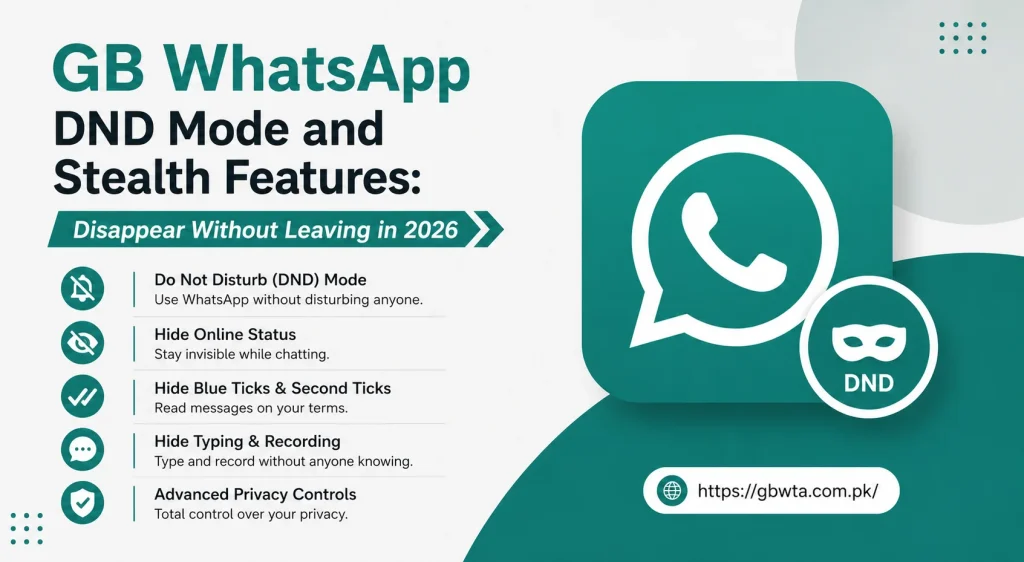
What Is DND Mode in GB WhatsApp
DND stands for Do Not Disturb. When you enable DND Mode inside GB WhatsApp, the app disables its own internet connection while leaving the rest of your phone fully online. That means GB WhatsApp stops receiving messages, stops sending typing indicators, and stops updating your online status, but your browser, maps, and other apps work as usual.
It is the cleanest way to step away from chats without turning on airplane mode and losing every other connection.
What Are Stealth Features
Stealth Features are a collection of privacy toggles inside GB WhatsApp that let you hide specific signals. They include hiding your last seen, hiding blue ticks, hiding typing indicators, hiding view status receipts, and even hiding your online presence from selected contacts.
DND Mode is the big switch. Stealth Features are the fine tuned dials. Together they give you total control over how visible you are inside the app.
Why DND Mode and Stealth Features Matter in 2026
Chat pressure has only grown over the past few years. Between work groups, family groups, and friend circles, you can feel watched every minute of the day. These features help you reclaim your time without hurting relationships.
- Read messages calmly without the urge to reply right away
- Take a phone break without telling everyone you are away
- Avoid awkward conversations by skipping the blue ticks for a while
- Use other apps freely without notifications pulling you back into chats
- Stay invisible from contacts you want to take a break from
Top Stealth Features You Should Try
GB WhatsApp ships with a generous set of stealth toggles. Here are the most useful ones.
| Stealth Feature | What It Does |
|---|---|
| Hide Last Seen | Stops sharing your last seen timestamp |
| Freeze Last Seen | Locks your last seen at a chosen time |
| Hide Blue Ticks | Reads messages without sending read receipts |
| Hide Second Tick | Hides the delivery confirmation too |
| Hide Typing | Stops showing the typing indicator |
| Hide View Status | Lets you watch statuses without the owner knowing |
| Hide Online Status | Removes you from the online presence list |
Each toggle is independent. You can turn on the exact combination that fits your day.
How to Enable DND Mode
Setting up DND Mode takes a few seconds.
- Open GB WhatsApp and tap the three dot menu
- Choose GB Settings and then Privacy and Security
- Tap DND Mode and switch the toggle on
- Optionally set a quick shortcut on your home screen for one tap toggling
- Pick a default duration if you want DND to auto turn off after a set time
- Save and exit
While DND is on, GB WhatsApp will not receive or send any data. The moment you turn it off, all queued messages arrive in a clean burst.
How to Customize Stealth Features
Fine tuning your privacy is simple.
- Go to GB Settings, then Privacy and Security
- Open the Stealth Features menu
- Toggle each option you want to enable
- For Hide Last Seen and Hide Online, pick the contacts list where the rule applies
- Save your preferences
Changes take effect immediately. There is no need to restart the app.
Power User Tips for the Best Stealth Setup
A few habits help you squeeze the most value out of these features.
- Combine Freeze Last Seen with Hide Online for the ultimate quiet presence
- Use DND Mode during workouts, drives, and prayer times
- Schedule DND Mode for sleep hours so you wake up to a clean inbox
- Pair Hide View Status with the Status Downloader to watch and save quietly
- Add a DND shortcut to your home screen widget for instant access
For the latest UI tweaks and quick toggles, the GB WhatsApp team at https://gbwta.com.pk/ shares refreshed guides every release cycle.
When to Use DND Mode vs Stealth Features
Both tools solve different problems. The table below makes the difference clear.
| Situation | Best Tool |
|---|---|
| Sleeping through the night | DND Mode |
| Quick reply delay during a meeting | Hide Blue Ticks |
| Avoiding a noisy group | DND Mode |
| Reading without pressure | Hide Blue Ticks plus Freeze Last Seen |
| Stepping away for hours | DND Mode with auto timer |
| Watching stories quietly | Hide View Status |
Knowing the right tool for each moment is what makes these features so powerful.
Common Mistakes to Avoid
A few small missteps can break the experience.
- Forgetting to turn DND Mode off leads to missed urgent messages
- Hiding blue ticks for one contact and not another can feel inconsistent
- Enabling too many stealth features at once can confuse your own habits
- Using DND Mode as your only inbox management strategy leads to chaos
- Forgetting that hiding blue ticks also hides yours on other people’s chats
Final Thoughts
DND Mode and Stealth Features are two of the most underrated GB WhatsApp tools. They do not shout for attention, they just quietly give you back control of your time and your privacy. In 2026, with chat pressure at an all time high, that quiet control is worth a lot. Set up your favorite toggles today and enjoy a calmer chat life from this week onward.
Frequently Asked Questions
Does DND Mode turn off my whole phone internet? No, DND Mode only disables the internet connection for GB WhatsApp. Your browser, maps, music, and other apps stay online as usual.
Can I schedule DND Mode to turn on and off automatically? Yes, the scheduler inside DND Mode lets you set daily on and off times. Great for sleep hours and work hours.
Will hiding blue ticks hide my blue ticks on other chats? Yes, the rule applies globally. If you hide blue ticks for one contact, the same rule applies to all your chats.
Does Freeze Last Seen work when I post a status update? No, posting a status temporarily reveals your active time. Use DND Mode if you want full silence.
Can I use DND Mode while on a call? Yes, calls still come through because GB WhatsApp uses a separate channel for voice calls. DND only affects data based features.