Privacy is no longer a feature, it is a baseline expectation. GB WhatsApp ships with a generous toolbox that lets you go far beyond the default WhatsApp privacy settings. If you want to enjoy the app without giving away more than you should, these ten smart privacy hacks will help you master the experience in 2026.
Why Privacy Hacks Matter in 2026
Every chat app collects signals about you. Last seen, online status, profile photo views, read receipts, typing indicators, and status interactions all add up to a detailed map of your behavior. With the right GB WhatsApp settings, you can flip almost every one of those signals off while still enjoying a great chat experience.
This guide walks through ten focused hacks that take only a few minutes to apply, but make a real difference in how exposed you feel inside the app.
Hack 1. Freeze Your Last Seen at a Fixed Time
Freeze Last Seen locks your last seen timestamp to a chosen moment. Once enabled, every contact sees the same frozen time regardless of when you actually open the app. It is the cleanest way to stay reachable without sharing your real schedule.
Go to GB Settings, then Privacy and Security, then Freeze Last Seen. Pick a time and save.
Hack 2. Hide Blue Ticks Without Weird Workarounds
Most other chat apps make hiding read receipts complicated. In GB WhatsApp it is a single toggle inside Privacy and Security. Turn on Hide Blue Ticks and your chats stay private while you decide when to reply.
Pro tip: Pair this with the Always Read in Incognito mode to keep full read access for yourself.
Hack 3. Watch Statuses Without Leaving a Trace
Hide View Status lets you see every status update from your contacts without them knowing you watched. It is a quiet superpower for anyone who wants to stay informed without broadcasting attention.
Open Privacy and Security, then Stealth Features, then toggle Hide View Status.
Hack 4. Use Selective Contact Privacy Lists
Selective lists let you apply privacy rules to chosen contacts only. For example, you can hide your last seen from coworkers while still sharing it with close friends. This kind of granular control is what makes GB WhatsApp feel personal.
Set up the lists inside Privacy and Security under Custom Privacy.
Hack 5. Enable Built in App Lock for Chats
The Built in App Lock we covered earlier adds a second password layer on top of your phone lock. Combine it with per chat locks to fully secure sensitive conversations from casual phone borrowers.
Find it inside GB Settings under Privacy and Security.
Hack 6. Read Deleted Messages Locally
Read Deleted Messages creates a private log on your device so you can see what someone sent before they deleted it. The feature runs locally and stays invisible to the sender. It is one of the most loved privacy tools in the app.
Enable it inside Privacy and Security under Read Deleted Messages.
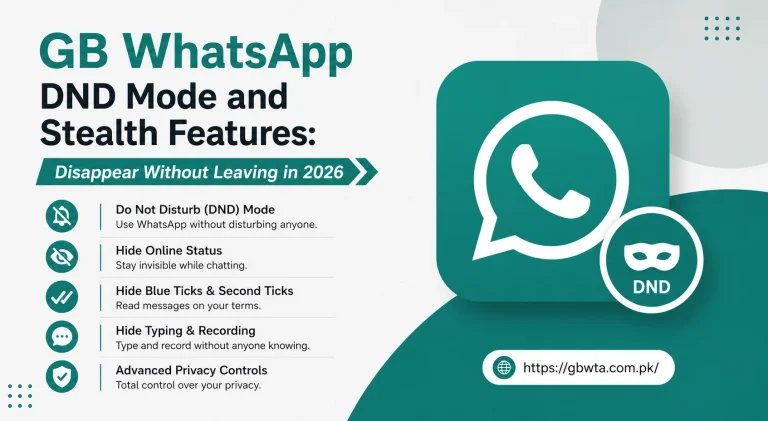
Hack 7. Hide Typing and Recording Indicators
Small signals like typing dots and microphone icons leak a lot of information. GB WhatsApp lets you hide both. Toggle Hide Typing and Hide Recording inside Stealth Features to remove those signals entirely.
Hack 8. Set Up Encrypted Local Backups
Local backups are great for privacy because they never leave your device by default. Pair this with the Advanced Policy Encryption feature to lock the backup file with a custom password. Only you can restore your chats on a new phone.
Find it inside GB Settings under Chats, then Chat Backup, then Local Backup.
Hack 9. Use DND Mode for True Quiet Hours
DND Mode disables internet only for GB WhatsApp. Use it during sleep, prayer, workouts, or focused work blocks. The rest of your phone stays online, but chats stay silent until you turn DND off.
Set it up inside GB Settings, then Privacy and Security, then DND Mode.
Hack 10. Review the Anti Ban Engine Regularly
Privacy also includes account safety. Open the Anti Ban Protection dashboard once a month to confirm the engine is on the latest version. A safe account is a private account.
Quick Reference Table for All Ten Hacks
| Hack | Time to Set | Privacy Impact |
|---|---|---|
| Freeze Last Seen | 1 minute | High |
| Hide Blue Ticks | 30 seconds | High |
| Hide View Status | 30 seconds | Medium |
| Selective Privacy Lists | 3 minutes | Very high |
| Built in App Lock | 2 minutes | Very high |
| Read Deleted Messages | 1 minute | Medium |
| Hide Typing and Recording | 30 seconds | Medium |
| Encrypted Local Backups | 2 minutes | High |
| DND Mode | 1 minute | Very high |
| Anti Ban Review | 1 minute per month | High |
Best Practices to Combine the Hacks
A few small habits help these hacks work even better together.
- Apply high impact hacks like Freeze Last Seen and Hide Blue Ticks on day one
- Add Selective Privacy Lists within the first week for granular control
- Review your privacy dashboard every month to catch new settings
- Pair privacy hacks with a strong App Lock password
- Update GB WhatsApp regularly so the latest patches reach your device
For community tips, fresh preset configurations, and theme friendly privacy layouts, the GB WhatsApp portal at https://gbwta.com.pk/ shares regular updates.
Common Mistakes That Undermine Privacy
Even with these hacks on, small missteps can undo your work.
- Setting custom privacy for individual chats but forgetting groups
- Using the same PIN for App Lock and phone unlock
- Forgetting to lock the deleted messages log
- Sharing your phone briefly with privacy toggles left open
- Skipping updates leaves your privacy features behind
A little discipline keeps your settings consistent and effective.
How Privacy Hacks Affect Daily Chatting
You may wonder if all these hacks make the app awkward to use. The opposite is true. Once set, these features fade into the background. You chat normally while your privacy stays locked down. The only difference is the calm that comes from knowing you are in control.
Final Thoughts
GB WhatsApp privacy hacks turn the app into a tool that works for you, not against you. In 2026, where every chat app competes for your attention and your data, taking twenty minutes to set up these ten tricks is one of the smartest investments you can make. Once they are on, you can chat freely, knowing your privacy is exactly where you want it.
Frequently Asked Questions
Are these privacy hacks safe to use long term? Yes, every hack listed here is part of the official GB WhatsApp build and is supported for long term use.
Do any of these hacks slow down the app? No, the privacy features run quietly in the background. The performance impact is negligible on modern phones.
Can I reset all privacy hacks at once? Yes, the Reset Privacy Settings option inside GB Settings clears every custom rule and returns the app to the GB default configuration.
Will contacts know I enabled stealth features? No, every stealth feature is invisible to your contacts. They simply see the limited signals you choose to share.
Do I need to redo these hacks after a GB WhatsApp update? Most settings survive updates. Review them once after any major version change to confirm everything still works the way you like.